
We're back with a recap of NPSP Day New York! On September 3, the Salesforce nonprofit community came together at Building Skills NY in the General Electric Building for a day of learning, problem-solving, and, most importantly, community.
New York continues to reign as the host city of the most NPSP Days, and the community always brings the energy. This time was no exception. The room was filled with a great mix of newcomers and old-timers, familiar faces reconnecting and first-time attendees jumping right into the conversation. There was a real willingness to share ideas, ask questions, and help each other tackle the challenges that come with managing Salesforce at a nonprofit.
That spirit of community carried through the breakout sessions, with candid conversations about everything from data hygiene and fundraising to technical debt, reporting, automation, integrations, and AI. The best part of NPSP Day is that nobody has to figure it all out alone. There's always someone willing to share what they've learned, offer a different perspective, or help troubleshoot a tricky problem.
NPSP Day New York was hosted by Soapbox Engage, with Idlewild Partners, Data Geeks Lab, and Idealist Consulting sponsoring the day and providing excellent Salesforce expertise. A big thank you to all of them, as well as Building Skills NY, for providing a space to bring this wonderful group of folks together.
Below is a look at the breakout sessions and some of the key takeaways from the day.
Breakout Session Topics
Breakout Sessions & Key Takeaways
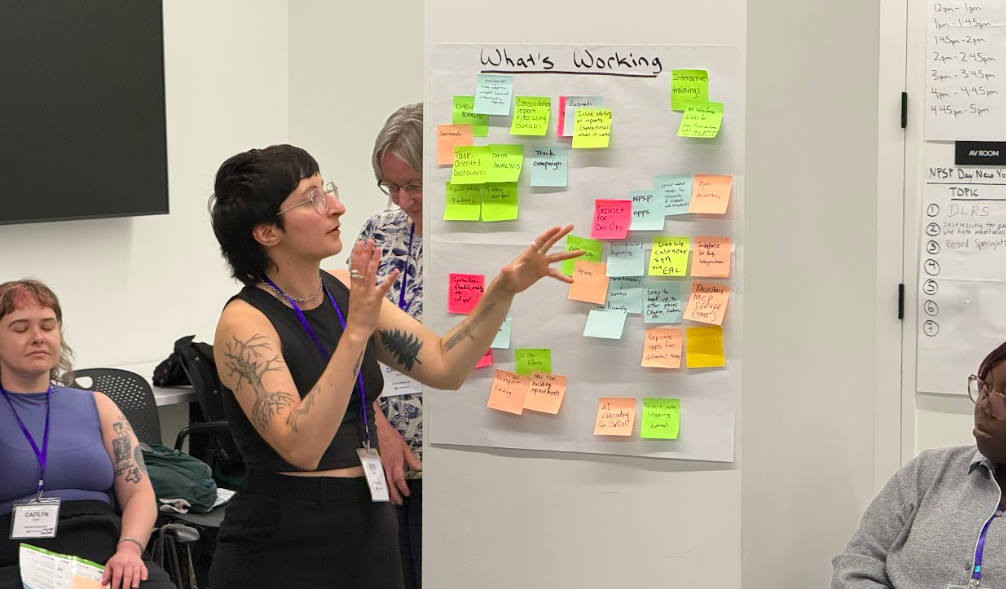
Data Hygiene
Data hygiene may not always be the most glamorous Salesforce topic, but it is foundational to everything else. This session focused on the practical, ongoing work of keeping data accurate and consistent, while also getting teams to understand why good data matters.
Key Takeaways
- Data ownership matters: Clear expectations around who is responsible for different types of data can help teams stay accountable and consistent.
- Give data a purpose: Connecting data entry to the organization's larger goals can help users understand why information matters, such as how program attendance data can ultimately support funding and reporting.
- Prevent duplicates where you can: Duplicate rules, permissions, validation, and Salesforce's native duplicate notifications can help stop problems before they spread.
- Make cleanup a regular habit: Weekly data check-ins, scheduled reports, and team-specific dashboards can make data hygiene part of the normal workflow instead of an annual scramble.
- Create shared definitions: A data dictionary can give teams a common understanding of what fields mean and how they should be used.
- Make it fun: Pizza parties, cleanup competitions, stickers, and small awards can give teams a surprisingly effective incentive to tackle their data.
Process Automation
As Salesforce environments grow, so does the need to keep automation organized. This session explored approaches to managing flows, from reusable components to auditing and naming conventions.
Key Takeaways
- There is no one-size-fits-all approach: The right way to manage flows depends on the complexity of the automation and the organization's development processes.
- Use reusable components: Subflows can make it easier to manage actions that need to be used in multiple places.
- Audit your automation: Tools such as Flow Trigger Explorer can help admins understand what is running and how different pieces of automation interact.
- Good naming goes a long way: Consistent naming conventions make flows easier to understand and maintain, especially as teams and systems change.
- Start with the actual need: Not every request for an AI agent requires an AI agent. Sometimes a well-designed flow is the simpler and better solution.
Online Engagement
Online engagement can generate a lot of useful information, but that doesn't automatically mean organizations have a clear picture of their supporters. This session explored how campaign structure, integrations, and engagement scoring can help bring those pieces together.
Key Takeaways
- Start with the constituent journey: Looking at how people move from online engagement to participation or giving can reveal opportunities to connect data and experiences.
- Create a shared campaign structure: Consistent hierarchies, naming conventions, and clear distinctions between campaign types can make engagement data easier to understand and use.
- Get stakeholders involved early: Campaign structure works best when the people using and reporting on the data help shape it.
- Use the data you already have: Engagement scores can incorporate actions such as volunteering, email activity, and other digital interactions without requiring an entirely new data collection process.
- Connect online activity to Salesforce: Thoughtful integrations and automation can help bring engagement information into Salesforce and give teams a more complete picture of supporters.
- Don't forget the basics: Deliverability, duplicate prevention, and manageable processes still matter just as much as the more sophisticated engagement strategies.
Bring engagement data into Salesforce
Soapbox Engage syncs donations, registrations, and forms to Salesforce in real time.
AI
AI was naturally part of the conversation, but this session was less about jumping on the AI bandwagon and more about figuring out where the technology can genuinely help. There was curiosity and enthusiasm, along with healthy skepticism around accuracy, licensing, and implementation.
Key Takeaways
- Look for practical use cases: Admin troubleshooting and donor research were among the areas where attendees saw potential for AI to provide useful support.
- Keep accuracy in mind: Concerns about hallucinations are especially important when working with donor, constituent, and organizational information.
- Consider the realities of your organization: Licensing, access, technical capacity, and staff readiness all affect whether an AI solution makes sense.
- Keep learning: With AI changing so quickly, professional development and experimentation can help nonprofit technology professionals stay prepared.
- Don't skip the fundamentals: The rush toward AI shouldn't come at the expense of established processes, best practices, and good system design.

Fundraising Best Practices
Fundraising looks different from organization to organization, and this session covered a wide range of approaches, from grants and individual giving to events and board-led fundraising. The conversation kept coming back to a familiar question: how can Salesforce support the way fundraisers actually work?
Key Takeaways
- Match systems to organizational capacity: The best fundraising process is one the organization can realistically maintain, not necessarily the most automated one.
- Turn next steps into action: Connecting fields such as grant next steps to tasks, reminders, and workflows can help move information from Salesforce into the work that needs to happen.
- Make moves management visible: Individual task management may be personal, but shared visibility helps teams coordinate fundraising activity and stay accountable.
- Manual work still has value: Taking the time to understand a process before automating it can build important institutional knowledge and prevent gaps.
- Connect the tools people already use: Integrating familiar tools such as email and calendars into Salesforce can help teams capture useful information without completely changing their workflows.
- Keep development and finance connected: Strong communication between teams can help organizations get a fuller picture of fundraising activity and outcomes.
Keep fundraising activity in Salesforce
Soapbox Engage apps for donations, events, and forms sync directly to Salesforce.
Technical Debt
Technical debt is easy to overlook when systems are still functioning, but outdated automation and undocumented changes can make Salesforce harder to maintain over time. This session focused on making that behind-the-scenes work more manageable.
Key Takeaways
- Use outdated automation as a starting point: Reviewing older Process Builder and workflow automation can open the door to broader conversations about auditing and migration.
- Document as you go: Field descriptions, flow descriptions, and detailed notes about metadata changes are much easier to maintain than trying to reconstruct decisions later.
- Audit your reporting environment: Looking at scheduled reports and other reporting assets can help identify what is still useful and what can be retired.
- Think about shadow systems: When prioritizing technical debt, consider which gaps are pushing users toward spreadsheets or other systems outside Salesforce.
- Don't assume starting over is best: Migrations can create their own challenges, particularly when custom code or historical data is involved.

Reports & Dashboards
Good reporting isn't just about knowing how to build a report. It's also about understanding the data model, organizing reports so people can find them, and giving users the right level of access.
Key Takeaways
- Start with the data model: Understanding the objects and fields behind a report makes it easier to determine what information and filters are actually needed.
- Use Custom Report Types as a learning tool: They can help admins visualize relationships between objects while opening up additional reporting possibilities.
- Keep reports organized: Clear descriptions, naming conventions, folders, and permissions can make a reporting environment much easier to navigate.
- Protect shared reports: Limiting who can edit reports or override filters can prevent accidental changes to important reporting resources.
- Build dashboards around real needs: Different teams and leaders may need different views of the organization's data, from attendance and fundraising to people and tasks.
- Consistency makes activity reporting stronger: Shared naming conventions and business rules can help organizations get more useful information from Salesforce activity data.
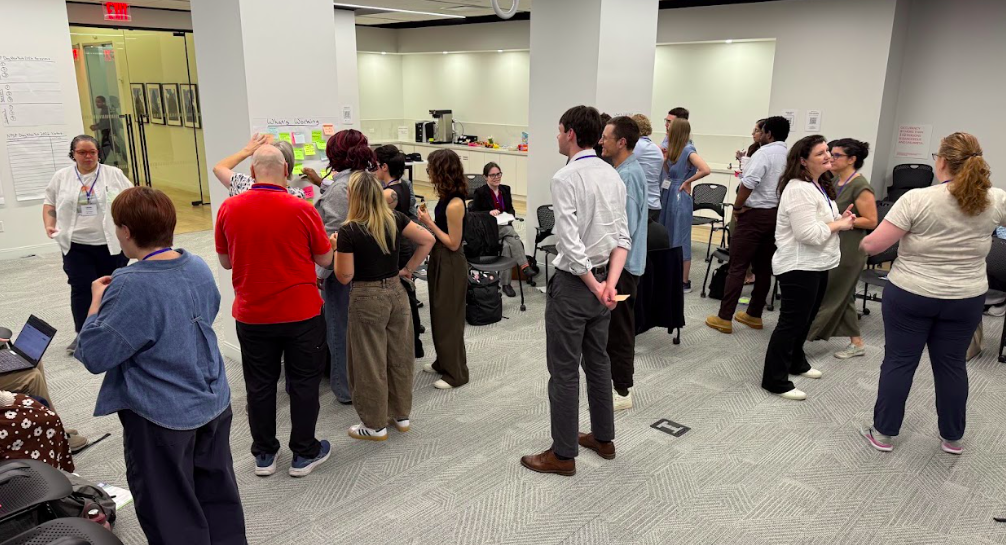
Third-Party Apps & Integrations
There is no shortage of tools designed to extend Salesforce, and this session gave attendees a chance to share which ones they rely on and where they see value. It was also a good reminder that every new tool comes with a cost, whether that's money, maintenance, or complexity.
Key Takeaways
- Apsona remains a useful option: Attendees highlighted its reporting, data management, deduplication, document generation, and other capabilities.
- Coefficient is generating interest: Its ability to connect Salesforce and Google Sheets makes it appealing for teams that prefer working with data in spreadsheets.
- Evaluate the cost: As popular tools become more expensive, organizations need to weigh the value a product provides against its ongoing cost.
- Meet users where they are: Tools that make Salesforce data easier to access and work with can sometimes help improve adoption, particularly for less technical users.
- Integrations need maintenance: Changes to third-party platforms and company names can have downstream effects on flows and other automation.
Looking Ahead
NPSP Day New York was a great example of why community is at the heart of these events.
The most valuable moments weren't necessarily about discovering one perfect Salesforce configuration or the newest technology. They were the moments when someone shared a workaround, another person said, "We have that problem too," and the conversation grew from there.
That is what makes NPSP Day special: everyone has something to teach, everyone has something to learn, and we have the opportunity to figure it out face-to-face.
A huge thank you to everyone who showed up ready to ask questions, share experiences, troubleshoot challenges, and help their fellow nonprofit professionals. And thank you again to Idlewild Partners, Data Geeks Lab, and Idealist Consulting for sponsoring the event, and Building Skills NY for welcoming the community into such a great space.

Keep the Community Going
Eager for more? There are still several chances to connect with the nonprofit Salesforce community in 2026!
Upcoming NPSP Days
- NPSP Day San Francisco: September 23, 2026
- NPSP Day Minneapolis: October 22, 2026
- NPSP Day Washington, DC: October 29, 2026
- NPSP Day Philadelphia: November 5, 2026
Check out the full NPSP Day events calendar for upcoming events and more opportunities to connect with the community. You can also read recaps from other recent events: NPSP Day Chicago, NPSP Day Boston, NPSP Day Oakland, and NPSP Fundraising Day New York.

 Donations
 Events
 Petitions
 Forms
Forms Shop
Shop Directories